Home
Home


Receipt of fake text messages impersonating the TGSS
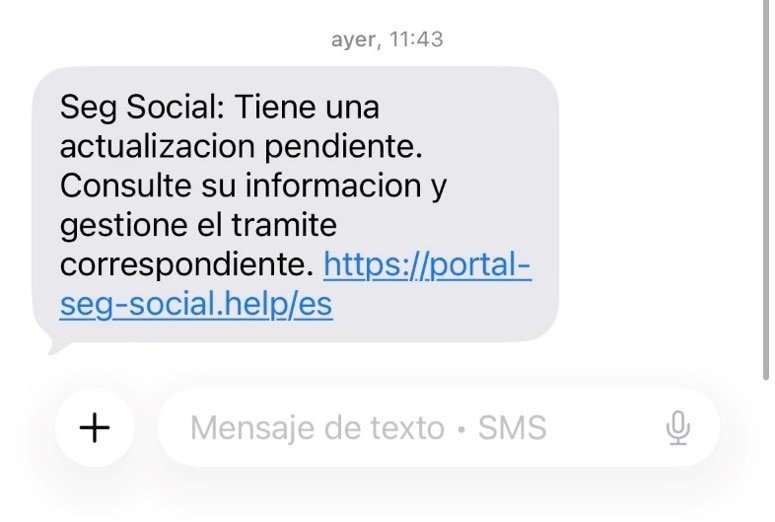
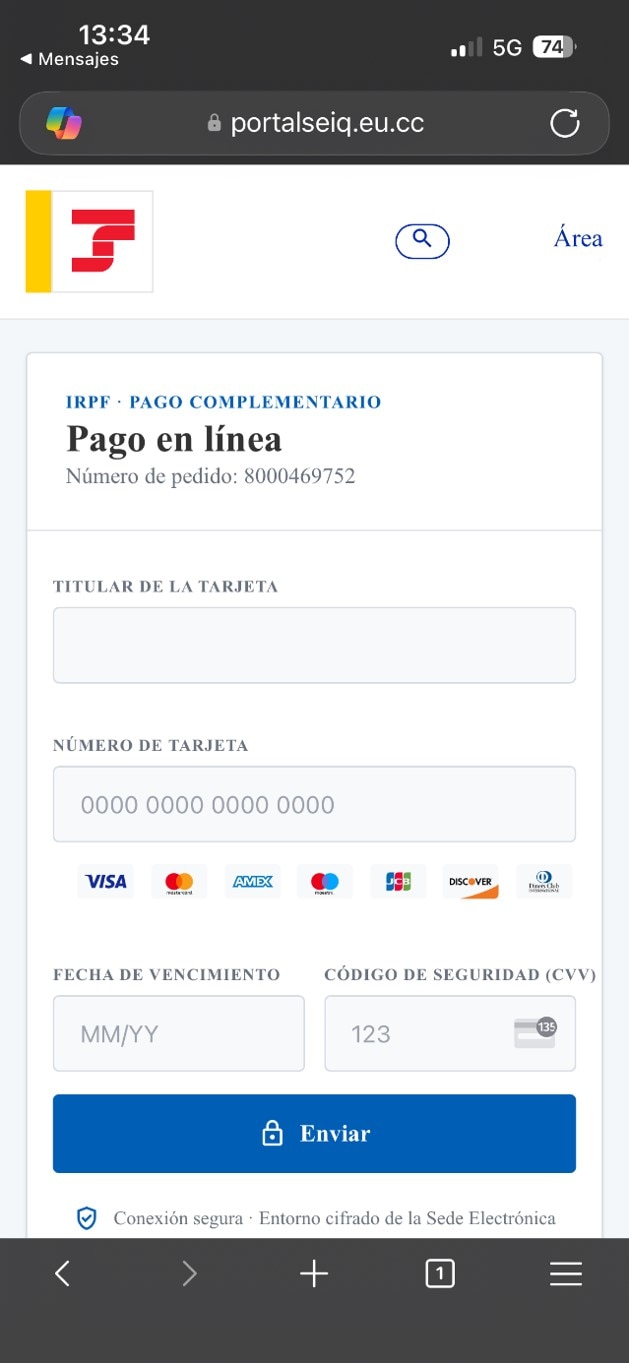
In recent days, a new text message campaign has been observed in which the TGSS is being fraudulently impersonated. The email provides information about an update, a debt or an outstanding amount, and includes a link to, supposedly, manage or resolve the issue. These links take the recipient to websites that mimic the Importass app and lead to a fake payment gateway where they are asked to enter their bank card details.
How is it done?
By receiving a text message informing the recipient that an update is pending, inviting them to view the information and complete the relevant procedure by clicking on a link that redirects them to a fraudulent website.
The SMS link is usually directed to various domains that appear to be legitimate Social Security domains, in an attempt to mislead the user: poratlesgsoical-gob.top, portalseiq.eu.cc, portal-seg-social.help, portal.seg-socioal.cfd, portaliseg-socialgobs.clik, etc.
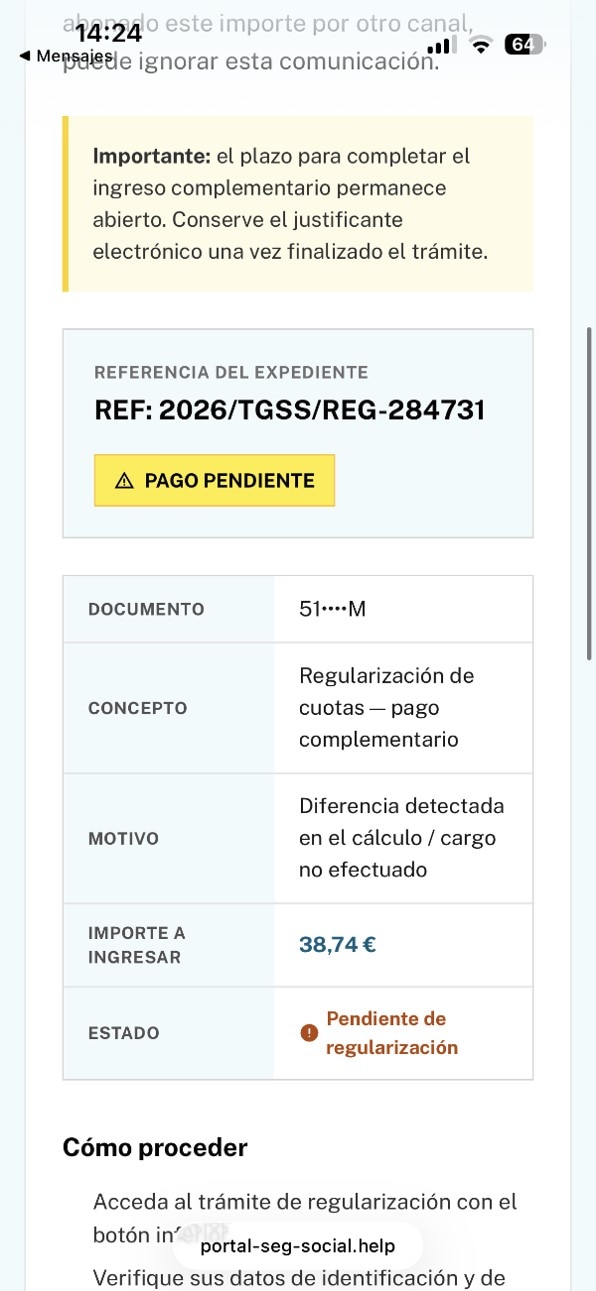
Once you click on the link, you will be informed that an additional instalment is required due to a discrepancy detected in the calculation of amounts to pay.
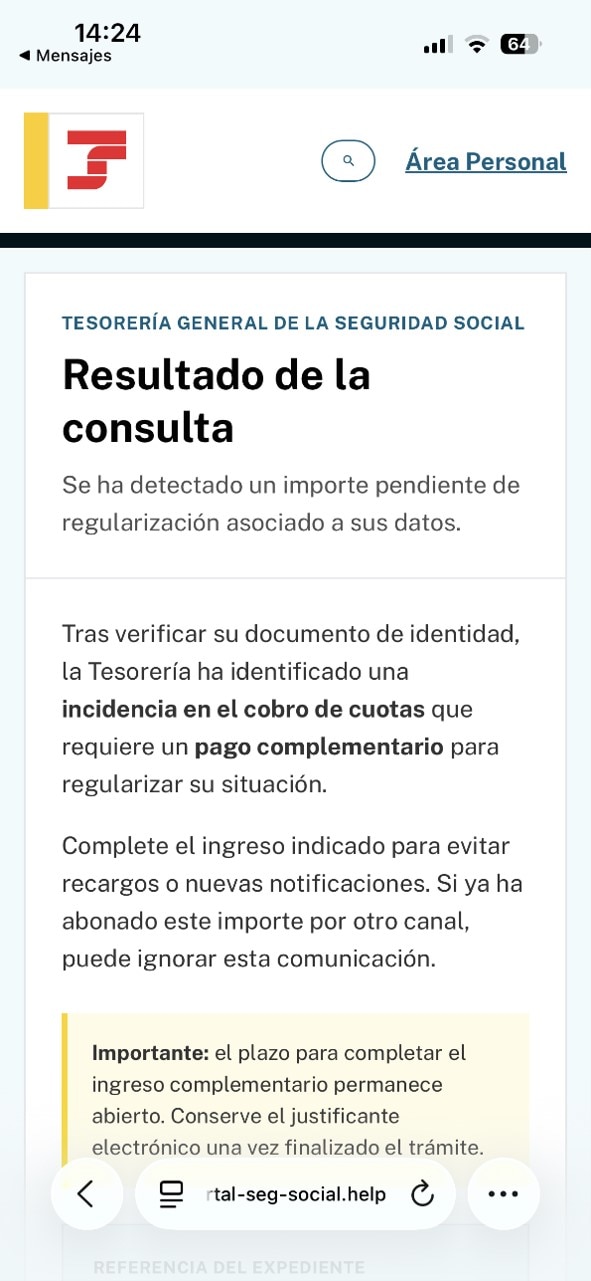
From there, users are redirected to a purported payment gateway, where they are asked to provide their bank card details. Whilst the enquiry screen refers to a payment for differences in contributions, the fake payment gateway refers to personal income tax, which is not administered by the TGSS.
Who is it aimed at?
This campaign is aimed at citizens who are allegedly liable for the payment of contributions – mainly self-employed people who carry out their Social Security procedures online.
Why?
The aim of these messages is to obtain personal data, login details or banking information, and even to trick people into making fraudulent payments.
What do we recommend?
Do not access Social Security procedures via links sent by email and/or text message.
How can you tell if a message is fraudulent?
These messages often contain spelling mistakes, poorly worded or incomplete sentences, words in different languages, as well as very short deadlines designed to urge users to act quickly. They are also sent from domains that do not belong to the Social Security system itself.
To access your administrative procedures securely and avoid any form of fraud, go directly to the IMPORTASS, Social Security General Treasury Portal app. You can now also access your notifications from this app. Alternatively, you can access your notifications via the Social Security e-Office (https://sede.seg-social.gob.es/).
The Social Security does not request payment of debts or the updating of personal details via links sent by text message.
Recommendations and resources
Before providing any personal or banking details, you should check that you are accessing the official Social Security or Importass website. If you have any doubts about the authenticity of a message, we recommend that you go directly to the e-Office or Importass by typing the address into your browser, without using the links included in the text message.
If you have provided personal details or made a payment via a fraudulent website, we recommend that you contact your bank as soon as possible and report the matter to the police.
If in doubt, call the official Social Security telephone numbers to check whether the communication is genuine or not. Further information is also available on the website of the National Cybersecurity Institute (INCIBE).